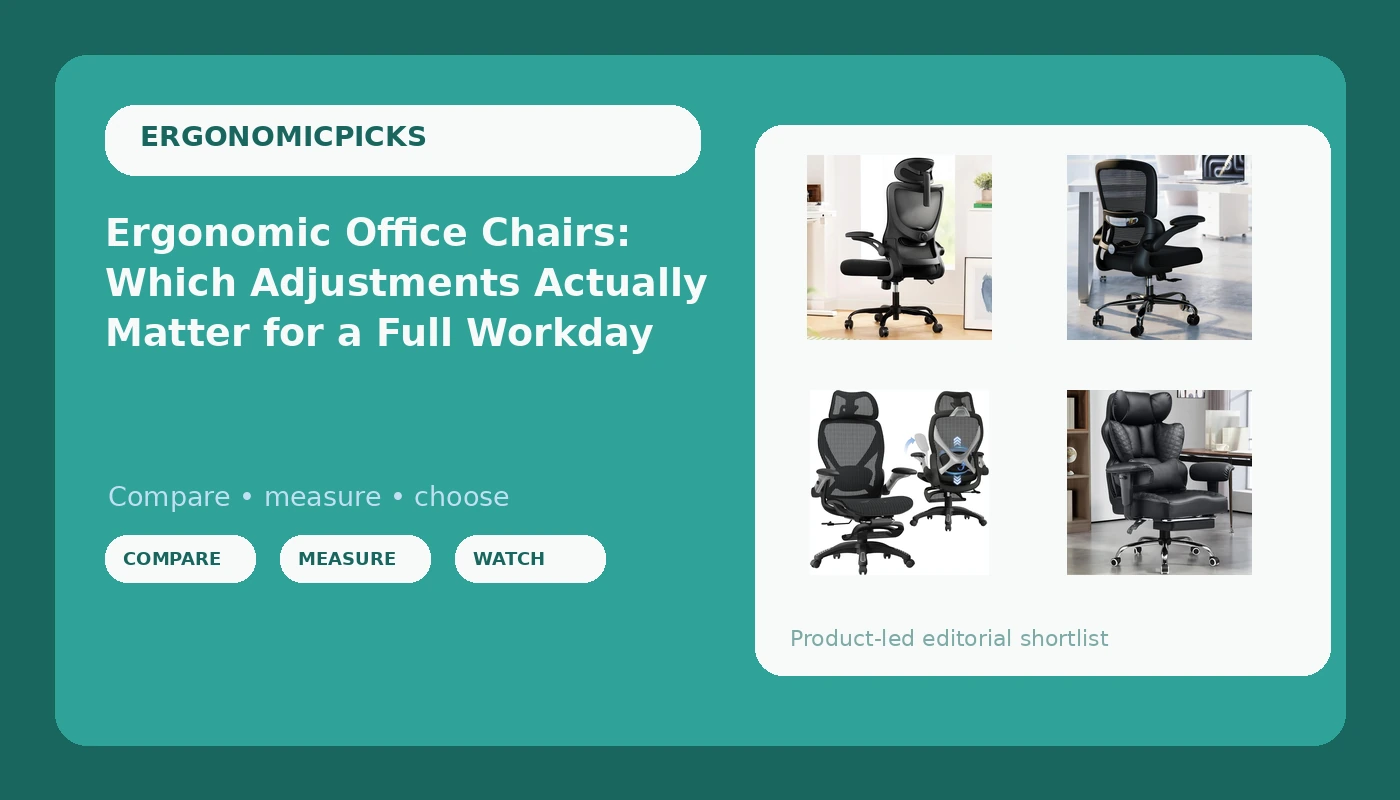
Most people shopping for ergonomic office chairs start with the same question: which one has the longest feature list for the money. That is the wrong first question, and it is why so many chairs end up parked in a spare room by month eight. A chair earns its spot at your desk based on whether its adjustments can be set to your body and whether those settings survive a full Tuesday afternoon, not on how many levers the listing brags about.
I have spent sixteen years as a physical therapist watching people sit in chairs that were never configured for them. The complaints that walk into my office are almost never about brand names. They are about a lumbar pad that drifted down by lunch, armrests that wobbled after a month, or a seat pan long enough to press into the back of the knees. The four chairs below all use a mesh back and all claim lumbar support. What separates them is how that support is built, how much the arms move, how large the seat is, and whether a footrest is part of the design.
Related: How to Set Seat Depth and Tilt Tension on Any Office Chair →
Quick answer
Buy for adjustments that stay where you put them, not for a longer feature count. Each chair here pairs a mesh back with some form of lumbar support, but they differ in the ways that decide whether you can sit comfortably for eight hours: whether the lumbar panel adjusts in place or simply slides, how far the armrests travel, how big the seat is, and whether the chair includes a footrest. Match those four things to your height, your pain pattern, and the length of your workday, and price becomes a secondary question rather than the first one.
4 useful options
| Model | Best fit | What stands out |
|---|---|---|
| Marsail Ergonomic Office Chair: Office Desk Chair with High Back Mesh and Adjustable Lumbar Support Rolling Work Swivel Task Chairs with Wheel 3D Armrests and Headrest | Desks where you recline and want a headrest | High back mesh, adjustable lumbar support, 3D armrests, and a headrest |
| TRALT Office Chair - Ergonomic Desk Chair with Adjustable Lumbar Support, Mesh Computer Chair, Executive Chairs for Home Office Comfortable Lumbar Support (Black) | Home offices watching the budget | Mesh back with adjustable lumbar support in an executive silhouette |
| ELABEST X100 Ergonomic Mesh Office Chair with Footrest, Big and Tall Hone Desk Chair with 5D Flip-Up Arms, Adjustable 3D Lumbar Support,Gaming & Executive Computer Chairs | Taller sitters who want the arms out of the way | Big and tall sizing, 5D flip-up arms, adjustable 3D lumbar support, footrest |
| GTPLAYER Big and Tall Gaming Chair 400lbs Heavy Duty Office Chair with Foot Rest & Ergonomic Pocket Spring Lumbar Support, High Back 3D Saddle Shaped Cushion for Back Pain Relief, Matte-Black | Heavier sitters and long recline sessions | Listed 400 lb capacity, pocket spring lumbar support, footrest, high back saddle cushion |
Headrest and 3D armrests: Marsail Ergonomic Office Chair
The headrest is the feature that separates this chair from the other three, and it is worth understanding what it does and does not do. A headrest is useful only if you actually recline. If you lock the backrest upright and sit at attention all day, that pad behind your skull pushes your chin forward, and you will end up sliding your head around it. The way to use it is to set the tilt tension so the chair holds you at a slight recline and the headrest meets the base of your skull rather than the crown. The 3D armrests matter more than most buyers expect, because arms that move in three directions can be set under your elbows at a height that lets your shoulders drop instead of climbing toward your ears.
Budget mesh pick: TRALT Office Chair
When a chair sits at the low end of the range, the inspection list gets longer, not shorter. Put your hands on the lumbar panel and ask whether it moves up and down only, or whether it also changes depth, because a panel that only slides is a panel that ends up in the wrong place on most bodies. Press the mesh in the middle of the backrest. Cheap mesh that gives a lot on day one is the mesh that sags by year two, and a sagging backrest turns your lumbar support into a suggestion. Then check the armrests for side-to-side play, and sit through the full range of the gas lift a few times before you commit. None of that is a reason to avoid a budget chair. It is a reason to inspect one properly.
Big and tall with a footrest: ELABEST X100
Flip-up arms solve a problem that shorter sitters never notice. If you are tall, or if you use a keyboard tray or a guitar or a lap desk, fixed armrests stop the chair from getting close enough to the work surface, which is how people end up perched on the front edge of the seat with no back support at all. Flipping the arms up gives you that clearance. Three-dimensional lumbar adjustment is the other feature worth paying attention to here, because a taller torso needs the panel both higher and deeper than a shorter one. The footrest is a genuine bonus for reclined reading or calls, but I would treat it as an occasional feature, not a posture for a full workday. Legs propped up for eight hours changes the angle at your hips in a way that most people cannot hold comfortably.
Heavy duty gaming style: GTPLAYER Big and Tall Gaming Chair
Gaming chairs get mocked, and some of the mockery is deserved, but the category does two things well. The first is capacity. A chair rated for heavier sitters is usually built with a wider seat pan, thicker foam, and a sturdier base, and that matters if you have ever felt a chair flex under you. The second is the shape of the cushioning. Pocket springs under a saddle shaped cushion spread load differently than a flat slab of foam, and the raised side bolsters can help some sitters keep their hips level. What I would watch is the shoulder area. Deep bucket sides that feel great when you recline will push your shoulders forward when you sit upright to type, so check that your shoulder blades clear the bolsters before you decide.
What adjustable lumbar support actually means
Almost every chair in this price band says "adjustable lumbar support." Those three words cover two very different mechanisms, and the difference shows up at 2 PM on a Tuesday.
A sliding lumbar pad moves up and down on a track behind the mesh. That is genuinely useful if the pad lands on the right spot for your spine, and useless if it does not, because the height you need may sit above or below the track's range. A panel with depth adjustment is the better design, because it lets you tune how much inward pressure you feel as well as where you feel it. Too much pressure on the lumbar curve for eight hours is its own kind of pain, and most people set it too aggressively in the first week because it feels supportive for twenty minutes.
The test is not what the panel does when you push it with your hand. The test is whether it stays where you set it after an hour of shifting your weight, crossing your legs, and leaning sideways to answer the phone. Friction locks loosen. Tracks that lack a positive detent slide down under body weight. If the adjustment drifts, you spend the afternoon chasing it, and a chair you have to readjust five times a day is a chair you will stop adjusting.
Mesh deserves the same scrutiny. Breathability depends on the weave and the tension, not on the word mesh printed in the listing. A backrest that sags under light finger pressure at the store will sag further under a full torso, and once it sags, the lumbar panel behind it stops making contact with anything.
Five steps that fit any of these chairs to your body
The same setup sequence works on all four chairs, and it takes about ten minutes.
- Set the seat height first, so your feet rest flat and your knees sit at roughly the same height as your hips. Everything else depends on this.
- Check seat depth by sliding back until your buttocks touch the backrest. You want two to three fingers of space between the seat edge and the back of your knee. If there is none, the seat is too long for you.
- Set the lumbar panel at the deepest point of your lower back curve, then lock it so it cannot slide down. If the chair has depth adjustment, add pressure gradually and stop before it feels like a fist.
- Set armrest height so your shoulders stay down and your elbows rest near ninety degrees. Bring the armrests inward until your forearms rest on them without reaching.
- Set tilt tension so the chair supports a slight recline and returns to upright without you pushing against it. Loose tension invites slouching, locked tension invites stiffness.
Matching a chair to your height, your pain, and your workday
- If you are under about 5 foot 6, a deep seat pan is your enemy. Lean toward the chair with the smaller seat and the easiest depth adjustment, regardless of how plush the bigger one feels.
- If you are over about 6 feet, prioritize backrest height and lumbar range. Both big and tall options here are built for longer torsos than the standard task chairs.
- If your pain is in your neck and shoulders, armrest adjustability matters more than backrest contour. Floating elbows are a shoulder problem before they are a neck problem.
- If your pain is in your lower back, choose the chair whose lumbar support adjusts in place rather than sliding only, and set it conservatively.
- If you sit for nine or ten hours, the footrest and headrest features earn their keep during breaks and calls, but keep your working posture upright and supported.
Which option should you choose?
Choose the Marsail Ergonomic Office Chair when you want a conventional task chair with a headrest and 3D armrests and you actually use a recline during the day. Choose the TRALT Office Chair when the budget is the constraint and you are willing to inspect the lumbar track, the mesh tension, and the armrest play before you commit. Choose the ELABEST X100 when you are taller, need the arms to flip out of the way for a keyboard tray or an instrument, and want the deepest lumbar adjustment of the group. Choose the GTPLAYER Big and Tall Gaming Chair when capacity is the priority and you prefer spring based cushioning with a saddle shaped seat.
One caveat that applies to all four: none of them can be fitted properly without knowing your own measurements. Seat height, seat depth, and lumbar position are body specific, and no listing can tell you whether a chair will fit you. Sit in the chair for a full workday before you decide it is wrong, and give the settings a chance to settle in.
The bottom line
The chair that works is the one whose adjustments match your body and hold their position. Feature lists are a poor proxy for that, and so is price. Measure your seat depth, find where your lumbar curve actually sits, check that the armrests can meet your elbows at a height that lets your shoulders relax, and then pick the chair that lets you set all of it without a fight. Check current Amazon price on any of these four when you are ready, and plan on spending the first hour of ownership on setup rather than assembly.